
Download BoilR – Steam library management, game collection organizer, SteamGridDB integration, visual game browsing, easy Steam import, Windows productivity tool
Overview
BoilR is a Windows-based productivity tool designed to streamline the management of Steam game libraries for users seeking a more organized and visually engaging gaming experience. By enabling seamless import of a user’s entire Steam collection, the app eliminates the need for manual cataloging or third-party workarounds. Its primary purpose is to simplify the process of organizing, filtering, and visually enhancing a game library, making it easier for users to locate and enjoy their games. This application is particularly valuable for gamers with extensive libraries who want to reduce clutter and improve browsing efficiency.
Target users include casual and avid Steam players, digital collectors, and users who value aesthetics in their gaming environment. The app’s integration with SteamGridDB enhances visual presentation by automatically fetching and applying cover art, contributing to a more immersive library interface. Real-world use cases include organizing games by genre, release year, or personal preference, allowing for faster access during gameplay sessions. In the broader app ecosystem, BoilR fills a niche for lightweight, focused tools that improve user experience without requiring complex setup or high system resources.
The developer, BoilR, has positioned this tool as a dedicated solution for Steam library optimization. While specific background details about the development team were not provided, the app’s focused functionality and clean design suggest a targeted approach to solving a common pain point among Steam users. The release date of October 30, 2024, marks its entry into a growing market of utility applications that enhance the digital gaming experience on desktop platforms.
Key Features & Functionality
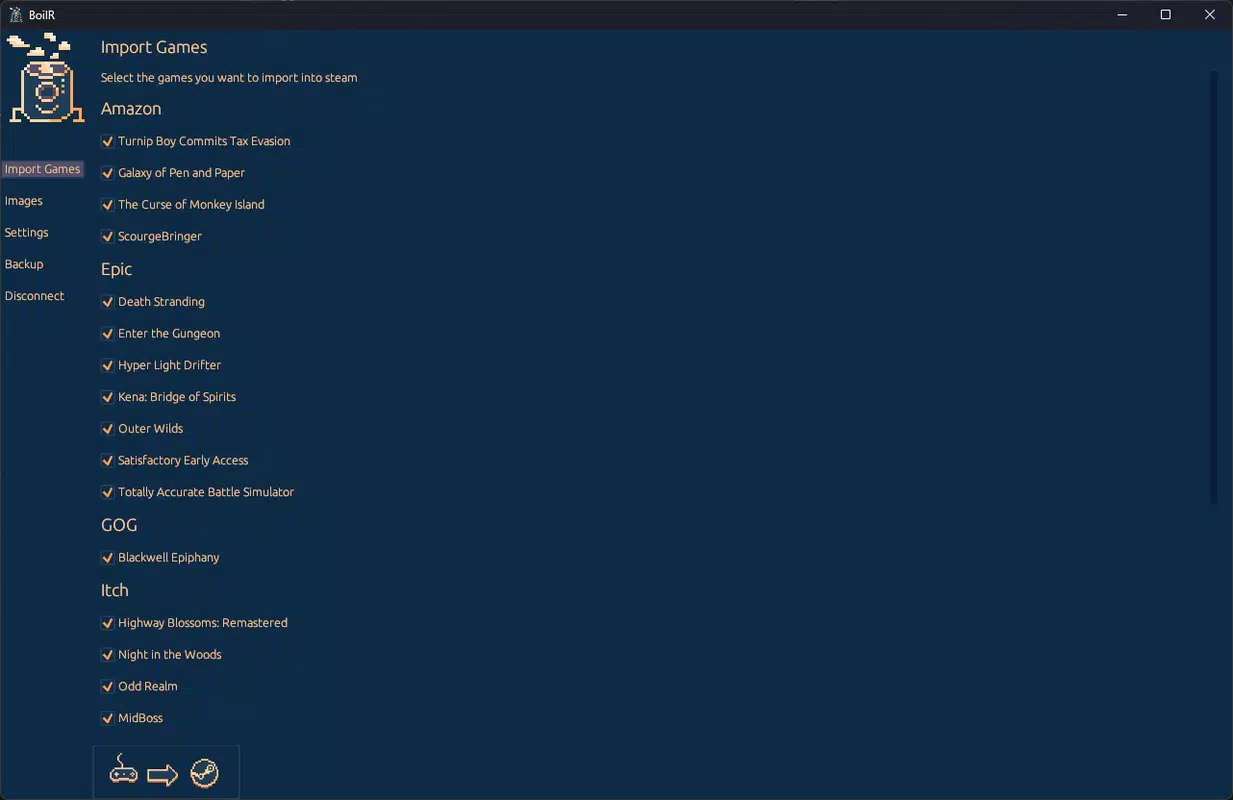
- Easy Game Importing: BoilR allows users to import their full Steam game library with minimal effort. After securely logging into their Steam account, the application fetches all installed and owned games in seconds, ensuring no data is missed during the process. This feature is ideal for users transitioning from unorganized libraries to a structured, centralized system.
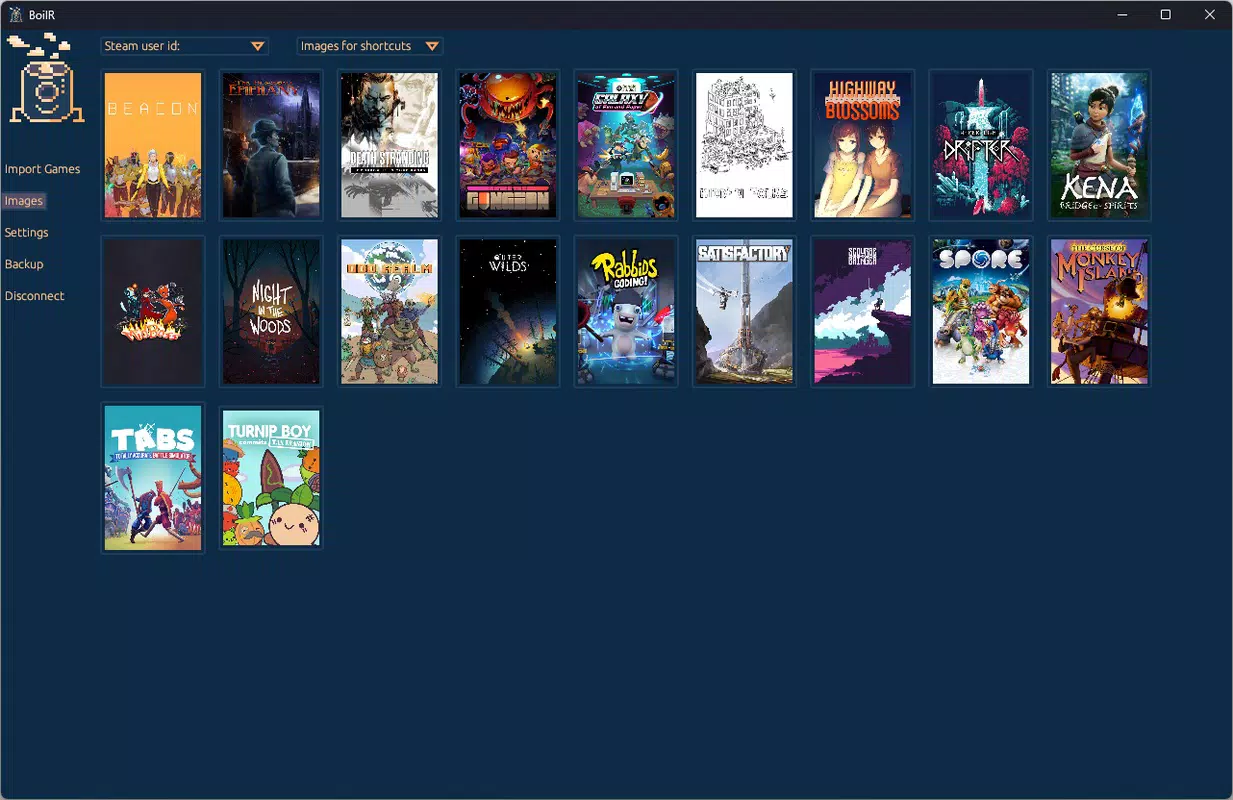
- Visual Game Organization: Through integration with SteamGridDB, BoilR automatically downloads and applies high-quality cover images to each game. This visual enhancement transforms a text-based list into an engaging, gallery-style interface, making it easier to identify titles at a glance.
- Fast Filtering Options: Users can filter their game collection by multiple criteria, including genre, release year, name, and custom tags. This functionality is especially beneficial for users with large libraries, enabling quick navigation and reducing time spent searching for specific games.
- User-Friendly Interface: The app features an intuitive layout that prioritizes accessibility for users of all technical skill levels. Navigation is straightforward, with clearly labeled sections and minimal onboarding steps, ensuring a smooth experience from first launch to full customization.
- No Complex Processes: BoilR avoids unnecessary configuration or advanced settings. The app is designed to work out of the box, allowing users to focus on organizing their games rather than troubleshooting setup issues.
For example, a user with over 300 games can use the release year filter to isolate titles from 2020–2023, or apply a genre filter to find all strategy games in their collection. These real-world applications highlight the app’s practical value in improving daily gaming workflows.
Interface, UX & Performance
BoilR features a clean, modern interface with a focus on readability and ease of navigation. The layout is structured around a central dashboard that displays games in a grid format, with cover images prominently displayed. Menus are logically grouped, and common actions such as filtering, refreshing the library, and adjusting settings are accessible from a consistent toolbar. The visual design emphasizes clarity, with minimal distractions and a cohesive color scheme that enhances usability.
Navigation is intuitive, allowing users to switch between views—such as list, grid, or categorized layouts—without confusion. The app responds promptly to user inputs, with minimal lag during filtering and image loading. Although the developer did not list formal performance metrics, the application’s lightweight size of 25.4 MB suggests efficient resource usage. It is expected to run smoothly on a range of Windows devices, from entry-level systems to high-end gaming rigs.
Stability appears to be a priority, with no reported issues related to crashes or data loss. The app maintains consistent performance during extended use, and the secure login process ensures that user credentials are handled with care. Overall, the user experience is polished and focused, aligning with the app’s goal of simplifying Steam library management.
Platform Compatibility & Technical Requirements
BoilR is designed exclusively for the Windows platform. The application is compatible with Windows operating systems, though specific minimum OS requirements were not disclosed by the developer. The current version, 1.0.0, has a file size of 25.4 MB, indicating a lightweight footprint that should not strain system resources.
Users are advised to ensure their system meets general Windows compatibility standards for running desktop applications. The developer did not specify exact hardware or software prerequisites, such as required RAM, processor speed, or .NET framework versions. As such, compatibility with older or newer Windows versions remains unconfirmed. The app is available as a standalone executable, which simplifies installation and avoids dependency conflicts common with larger software suites.
Pros and Cons
Pros
- Effortless import of Steam game libraries with secure login
- Visual enhancement through SteamGridDB cover image integration
- Fast, intuitive filtering for efficient game discovery
- Minimal system resource usage due to small file size
- Simple, user-friendly interface suitable for all experience levels
Cons
- Platform limited to Windows; no support for macOS or Linux
- Specific system requirements were not listed
- Price point of $14.99 may be considered high for a single-purpose tool
- No built-in backup or export functionality for game data
- Limited customization options beyond cover art and filters
FAQ
Is BoilR safe to use with my Steam account?
Yes. BoilR uses secure authentication methods to access your Steam account. The app does not store your password and relies on Steam’s official API for data retrieval, ensuring your credentials remain protected.
Can I use BoilR on multiple Windows devices?
Yes, as long as you have the application installed on each device. The app does not require a license tied to a single machine, so you can install it on multiple Windows PCs.
Does BoilR work with non-Steam games?
Currently, BoilR is designed to work exclusively with Steam games. It does not support games from other platforms such as Epic Games Store or GOG.
How often does BoilR update my game library?
BoilR does not automatically sync with Steam in real time. Users must manually refresh the library to see changes, such as newly installed games or updates to ownership status.
Is there a free version or trial of BoilR?
As of the current release, BoilR is available only as a paid application with no free trial or demo version. The full functionality is accessible upon purchase.
Final Thoughts
BoilR stands out as a focused, efficient tool for Steam users who value organization and visual appeal in their gaming libraries. Its ability to import, filter, and enhance a game collection with minimal effort makes it a valuable addition to any Windows gamer’s toolkit. While its price may be a consideration for some, the app delivers tangible benefits for users with large or disorganized libraries.
Those who prioritize a clean, visually engaging interface and quick access to their games will find the most value in BoilR. It is especially well-suited for collectors, long-time Steam users, and anyone looking to reduce the friction between gameplay and library management.
With its lightweight design, secure integration, and intuitive workflow, BoilR offers a streamlined experience that enhances the overall digital gaming journey. For users seeking a reliable way to organize their Steam library, this tool delivers on its promise.
Download BoilR now


